
 Picture this: You’re driving three hours from Houston to visit family for the holidays. Your child asks, ‘Can I play Roblox on your work laptop?’ That device holds sensitive client files, financial records, and full access to your business systems.
Handing it over might feel like the easiest way to keep the peace, but in that moment, you’re inches away from a real business risk.
Holiday travel, whether you’re flying out of IAH, driving across Texas or juggling a mix of work and family time creates vulnerabilities most business owners don’t face during a regular workweek. You’re distracted, connecting to unfamiliar networks, and often squeezing in “just a little work” from places that aren’t secure.
This guide walks you through how Houston SMB owners can travel confidently this holiday season while keeping business data safe.
Pre-Trip Security Checklist: 15 Minutes to Protect Your Data
Take 15 minutes before your trip to set yourself up for success.
Secure Your Devices
- Install all pending security updates
- Back up important work files to a secure cloud platform
- Enable automatic screen locking (no more than 2 minutes)
- Activate tracking features like Find My Device
- Charge your power bank
- Pack your own cables and wall adapters (avoid public chargers)
Set Family Expectations
- Explain which devices are okay (and not okay) for kids to use
- Bring a dedicated family device for entertainment
- If necessary, create a separate user account with limited access on your laptop
Pro Tip: A basic tablet from Target or Costco costs far less than dealing with a business-wide security incident.
Hotel Wi-Fi: Why It’s One of the Biggest Risks During Holiday Travel
When staying at hotels, it’s tempting to connect every device to the free Wi-Fi – phones, tablets, laptops, gaming devices, but this can expose your business data to hackers...
Here’s the problem: Hotel Wi-Fi is shared, unsecured and often targeted by cybercriminals.
Common Scenario:
A Houston family connected to what looked like the hotel’s network. It wasn’t, it was a spoofed hotspot someone set up in the parking lot. Every password, email and credit card typed over two days was captured.
Stay Safe by Following These Rules
- Ask the front desk for the exact Wi-Fi name, don’t trust the closest match
- Use a VPN for anything work-related
- Use your phone’s hotspot for sensitive tasks like banking or client file access
- Separate work and personal use, kids on hotel Wi-Fi is fine; business data is not
“Can I Use Your Laptop?” – A Common Holiday Trap
Most Houston business owners store everything on their laptop: financial info, customer data, even access to internal systems. Kids, however, think it’s the perfect device for YouTube, games or FaceTime. Kids accidentally download things. They click on pop-ups. They share passwords with friends. They don’t log out of accounts.
No ill intent, just normal kid behavior. But one accidental click could compromise your entire operation.
The Safe Approach
- Politely but firmly: “This laptop is for work only.”
- Provide a different device for entertainment
If Sharing Is Absolutely Unavoidable
- Create a restricted user account
- Supervise what they’re doing
- Don’t allow downloads
- Never save their login information
- Clear browsing history afterward
Hotel Smart TVs: The Forgotten Log-Out Risk
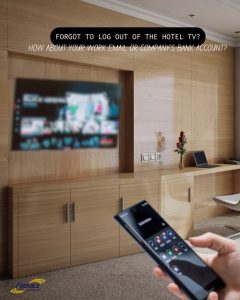
If you log into your Netflix account on a hotel smart TV and forget to log out, the next guest could gain access. Even worse, if the same password is used elsewhere, multiple accounts could be at risk.
Smart TV Safety Tips
- Use your own device and cast to the TV
- Set a reminder to log out before checkout
- Or skip logins altogether by downloading shows ahead of time
Never sign in to banking, email, work accounts or anything tied to stored payment info on a hotel TV.
If a Device Goes Missing During Holiday Travel
From Hobby Airport security bins to busy restaurants in The Woodlands, misplaced devices are extremely common this time of year.
Act Within the First Hour
- Track it through Find My Device
- If recovery isn’t immediate, remotely lock it
- Change critical passwords from another device
- Notify your IT provider or MSP to revoke system access
- If sensitive data may be exposed, notify affected parties
Before You Travel, Make Sure Devices Have
- Remote tracking enabled
- Strong password or biometric protection
- Automatic data encryption
- Remote wipe capability
The Rental Car Data Trap (Most Travelers Forget This)
Travelers often connect their phones to rental car Bluetooth systems for music or navigation. These systems can store contacts, recent calls, and even text message previews, leaving sensitive data accessible to the next driver. Connecting your phone to a rental car’s Bluetooth or navigation system seems harmless. But the car often stores:
- Contacts
- Recent calls
- GPS destinations
- Text preview data
Unless you clear it, that information stays for the next driver.
The 30-Second Fix
- Delete your phone from the car’s Bluetooth list
- Clear recent GPS destinations
- Avoid connecting altogether when possible
The “Working Vacation” Boundary Problem
Houston business owners are known for hustle, but during holiday travel it can backfire. Constantly switching between family time and work mode makes security mistakes more likely.
Set Boundaries
- Use a hotspot, not hotel Wi-Fi
- Avoid working in public spaces
- Disconnect during family activities
You’ll return to being more rested, more effective and more security aware.
The Mindset That Protects Your Business During Holiday Travel
Perfect security isn’t the goal. Intentional security is. Keep these principles in mind:
- Prepare devices before you leave
- Know which activities are risky vs. low risk
- Separate family use from business use
- Have a plan for lost or compromised devices
- Create and enforce boundaries around your work tech
Make This Holiday Season Memorable for the Right Reasons
Your time off should be filled with family, food and maybe a little Houston sunshine—not recovering from a preventable data breach.
A few simple steps can keep your business secure while you enjoy the season.
Houston business owners: protect your team and yourself during holiday travel. Schedule a free 15-minute discovery call to create practical travel-safe policies that protect your business without making travel stressful...